Jack In to your Stack.
One platform for AI at an MSP. The MCP Gateway connects Claude, Cursor and your agents to your PSA, RMM, Microsoft 365, security and documentation tools, with per-user auth, a metadata-only audit log and a free tier on every connector. Automations take the repeat work. AI Governance finds and controls AI use at your company and at every client.
The gateway, live.
Your AI client calls one endpoint. StackJack brokers every request to the right connector, with your credentials and your per-user policy.
[ 01 // jack in ]Type $ jack in and one endpoint comes online.
Build your own bundle: save up to 40%. Build yours →
HaloPSA & NinjaOne (NinjaRMM): all auth methods on every plan, including Free.
One platform.
Three jobs it does for you.
Connect your AI to the whole stack, put repeat work on autopilot, and govern how AI is used at your company and at every client.
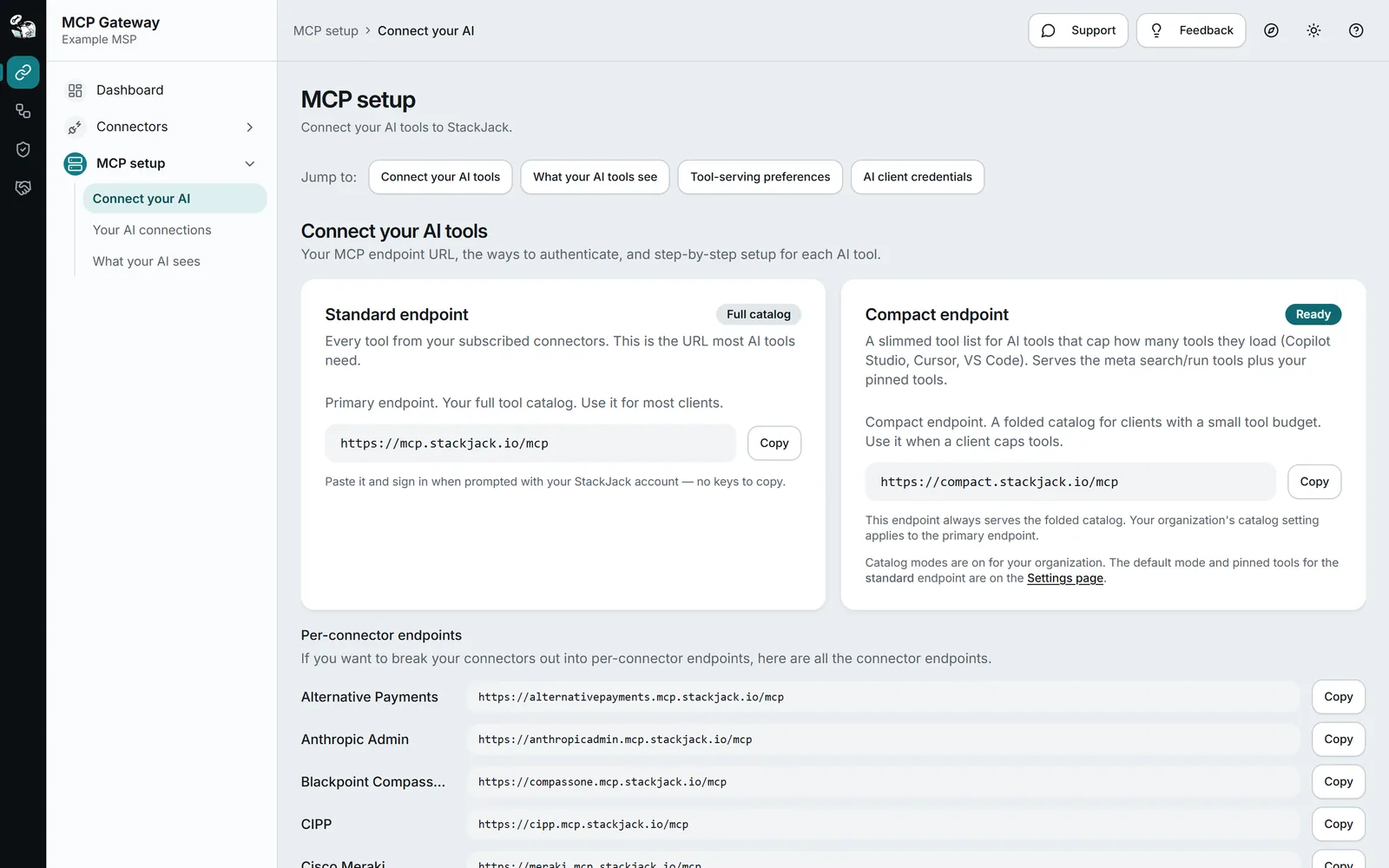
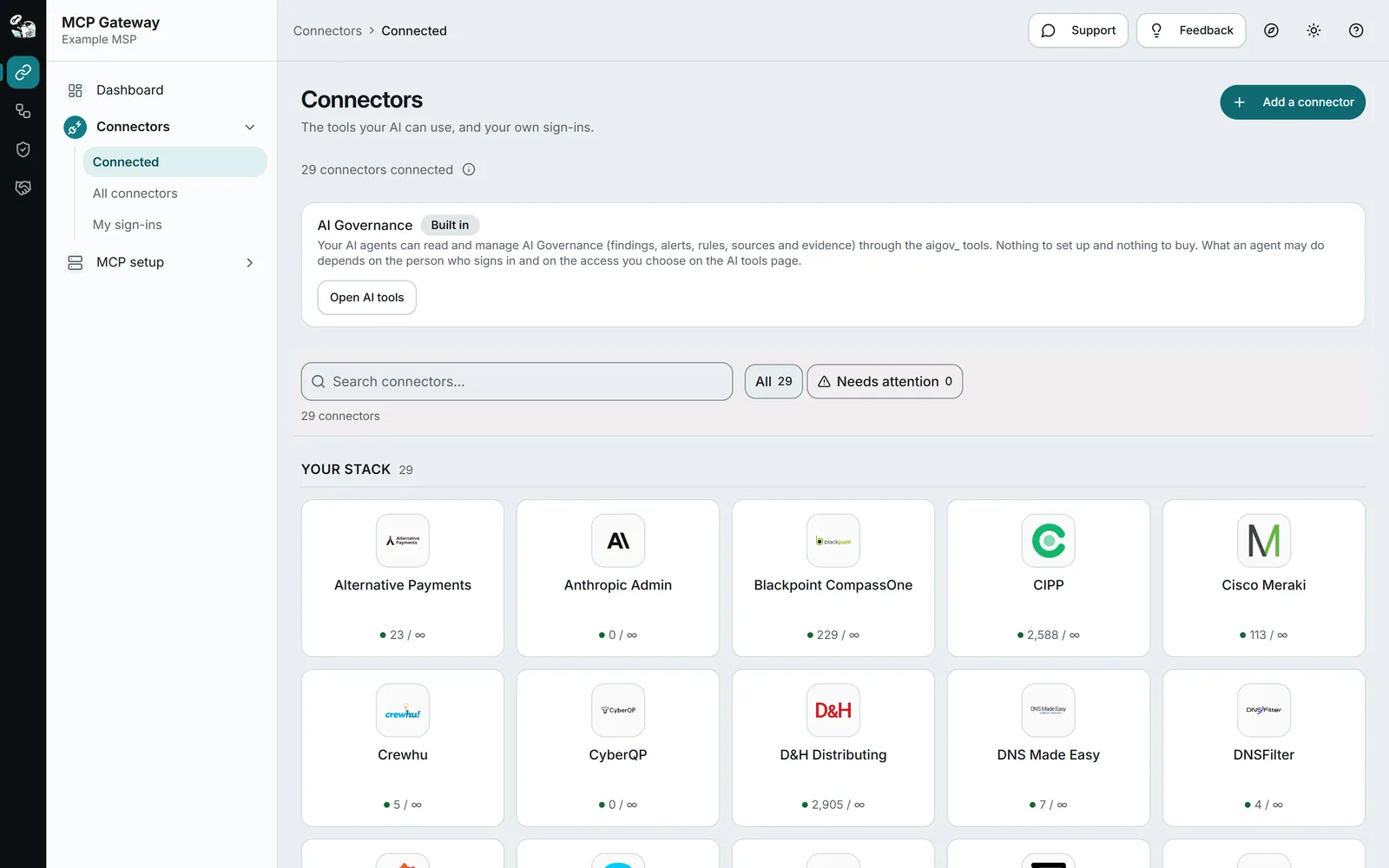
One endpoint for your whole stack.
Connect Claude, Cursor or Copilot to one address. StackJack brokers every call to the right connector, with the tools you allow. Calls use your organization’s credentials by default, and a person can use their own.
- 132 connectors, with a free tier on every one
- Per-user sign-in, roles and tool limits for each endpoint
- Each person can use their own vendor account, with a personal sign-in on HaloPSA, NinjaOne (NinjaRMM), Microsoft 365, Azure and N-able N-central. Calls made with a sign-in, or with the personal key a member gets when they connect their own account on Connectors, are attributed to that person in the activity log. A shared key made for the organization is logged under its own name, with no person
- Every tool call logged, with metadata only
- Activity log with filters and CSV export: the last 100 calls on Free, 90 days on Pro and Business
Go deeper: connect your AI client · people, roles and connections · catalog modes · usage, limits and audit
Put repeat work on autopilot.
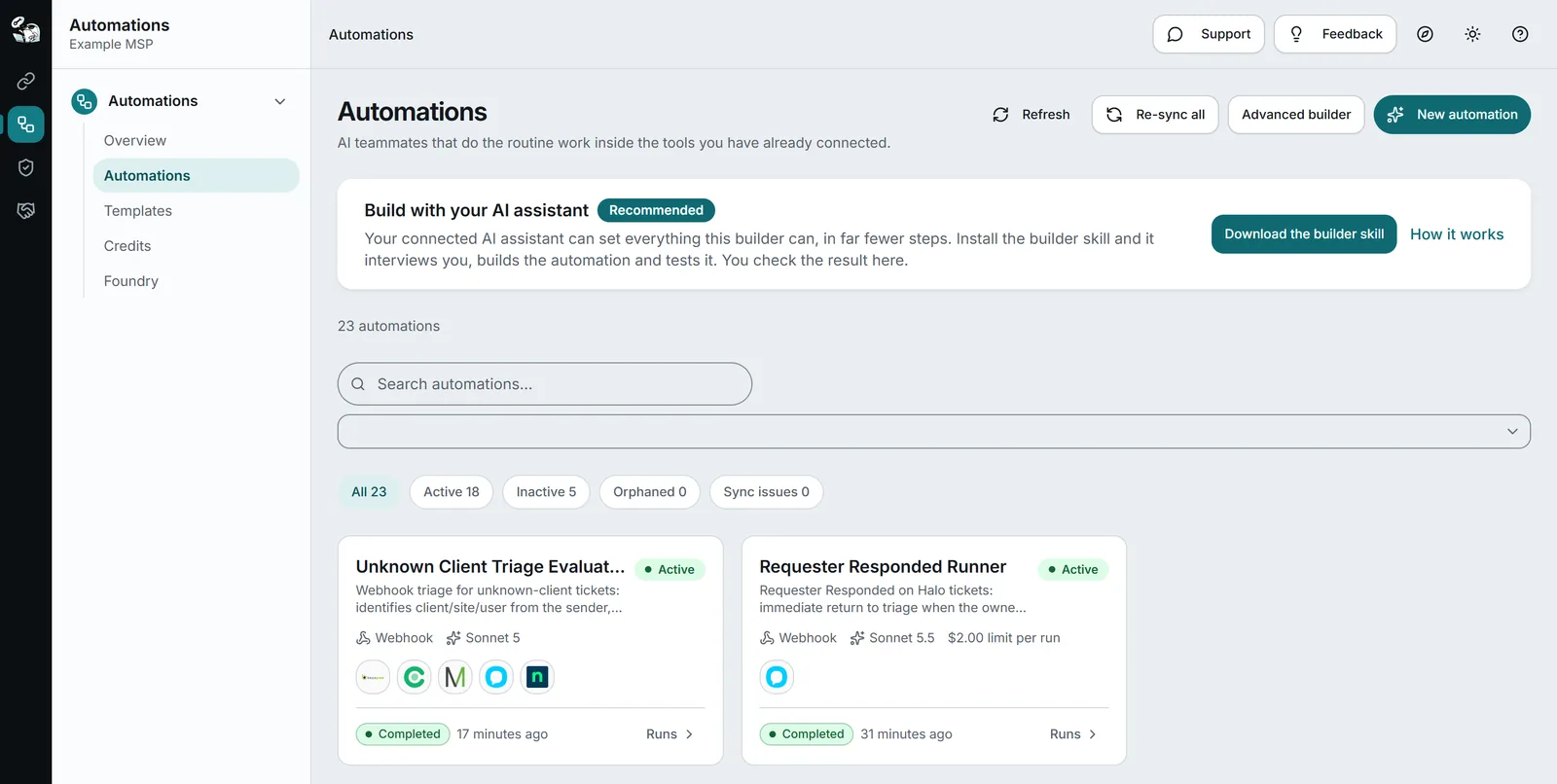
Describe the outcome in plain English. An automation works across your connected tools on demand, on a schedule or from a webhook, with only the tools you allow.
- No code and no node wiring
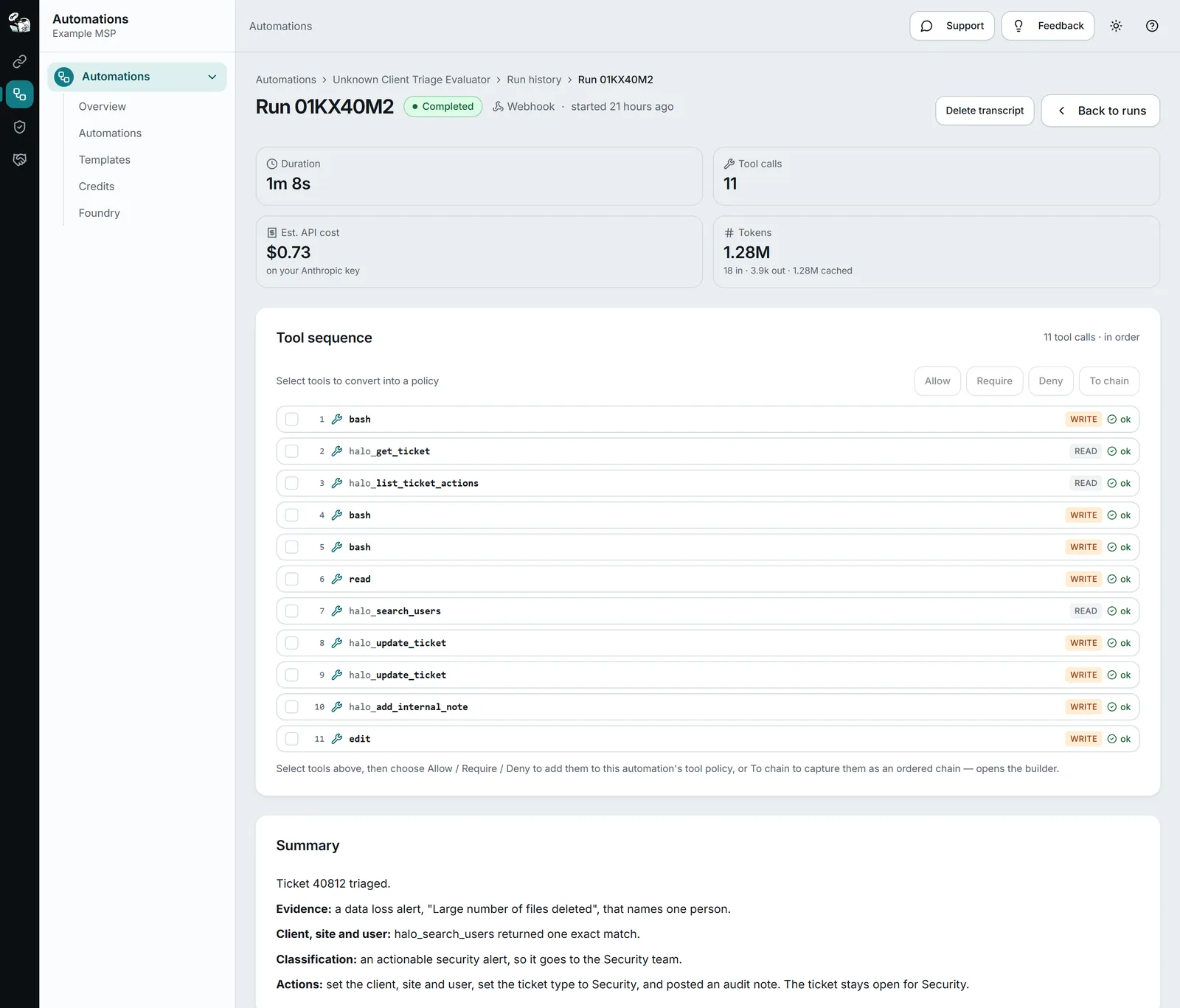
- Each tool chosen for read or write
- Every run shows its tool calls, its cost and what it did
Govern your MSP. Then govern your clients.
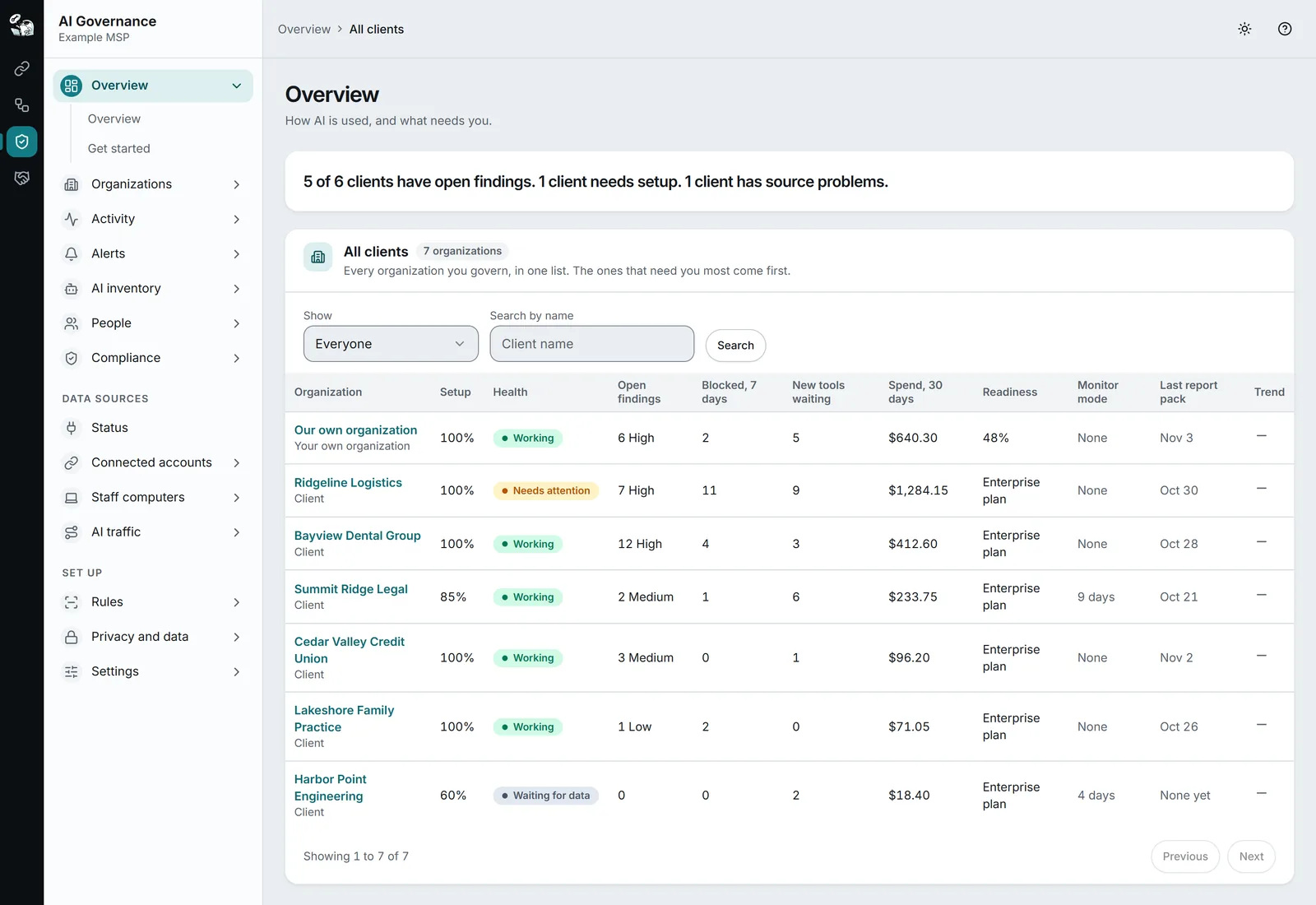
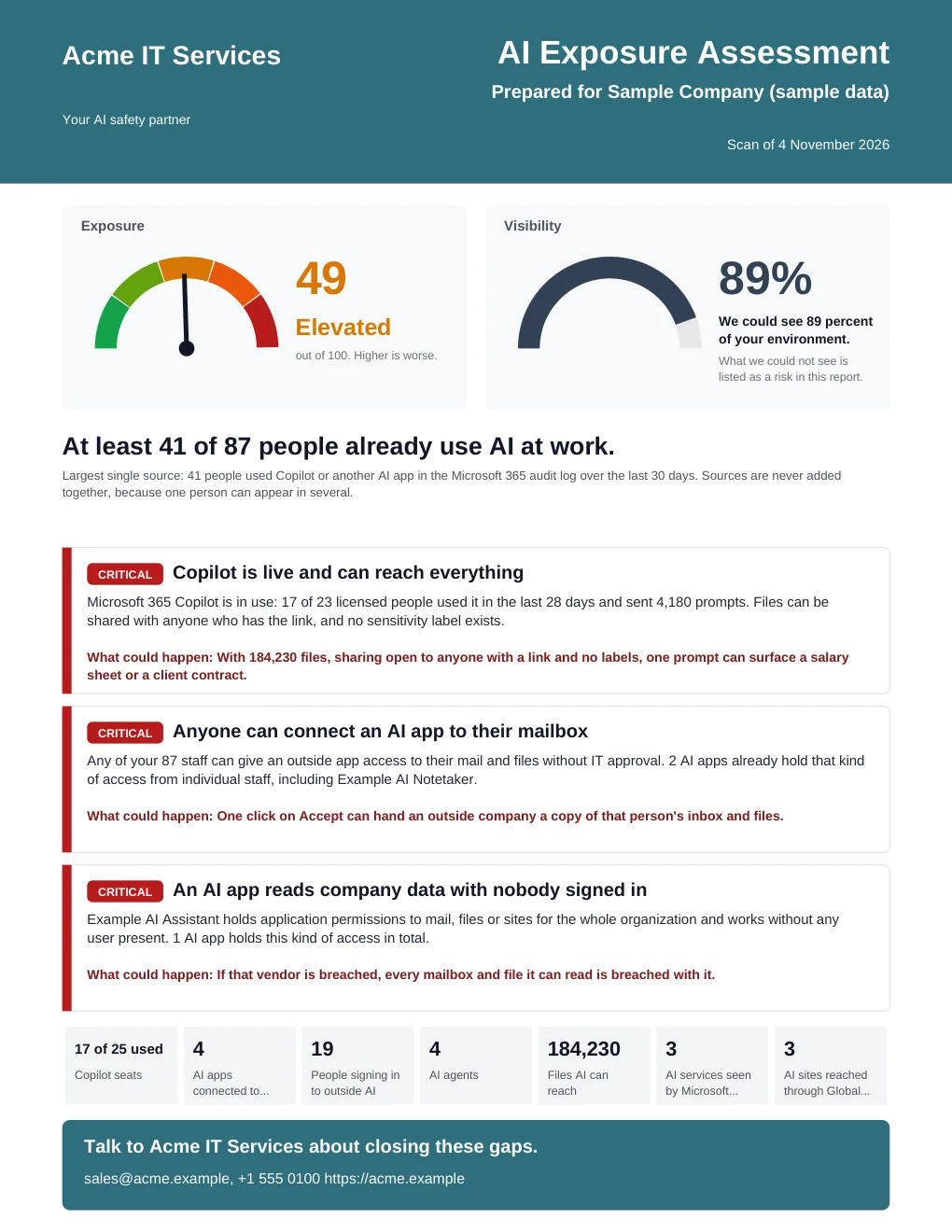
See which AI tools your own team and every client use, and govern them from one table. A scan with nothing to install shows any company where it stands, in a report under your name.
- A report that names the people and apps behind each finding
- Connects to Microsoft 365, AI vendor accounts and your security tools
- A browser extension and a Windows agent for those who need them
Four steps. no manual required.
From signup to asking your stack real questions in about ten minutes.
Sign up for StackJack
Free tier on every connector. No credit card, no time limit.
Set up your connector(s)
Paste an API key or sign in with OAuth: HaloPSA, NinjaOne (NinjaRMM), CIPP, whatever you run. Credentials go straight to the vault.
Connect your AI
Copy your MCP URL from MCP Setup in the Portal (US: mcp.stackjack.io/mcp, EU: mcp-eu.stackjack.io/mcp) into Claude, ChatGPT, or any MCP client. Sign in. Done.
Start asking
Questions that used to mean an afternoon of tab-hopping across three platforms are now one prompt.
Want that to happen every night without asking? Automations run it on a schedule: automation between systems, zero code.
Claude, ChatGPT, Copilot, Cursor + any remote-MCP client. See everything we work with
132 connectors.
every platform that matters.
Microsoft 365 and Azure, PSA, RMM, documentation, security, networking, backup, finance, and advertising. Every connector includes a free tier that never expires.
Microsoft, all of it
Across your own tenant and your customer tenants.
Bundle it your way. save up to 40%.
Don’t see your combination? Build it.
Pick any connectors across PSA, RMM, M365, documentation, security, and quoting. Your discount scales automatically with every connector you add: the same volume savings as our fixed bundles, on a bundle you define. Stack savings up to 40% off.
Enterprise
For application builders and vendors embedding StackJack. A custom call allowance, all tools, and terms scoped to your product. Talk to us about custom tool development.
Beyond chat: put IT work
on autopilot.
Automations are saved, reusable AI workers that run against your connected stack: on demand, on a schedule, or from webhooks. Explicit tool scoping, dry-run rollout, and full run history.
Three trigger modes
On-demand, scheduled (cron + timezone), or webhook, with per-agent secrets and rate limits.
Real guardrails
Explicit tool allow-lists, dry-run mode, max runtime, per-run credit caps, all server-enforced.
Visible run history
Status, summary, tokens, tool calls, credits, duration, plus full transcripts on demand.
Your own AI, or credits
Run on your own Azure Foundry or your own Anthropic key on a flat BYOK plan. Or use credits with no platform fee: held before a run, the difference refunded after, and they never expire.
Security you can verify.
The report is in the Trust Center.
StackJack’s gateway is pass-through: your business data flows through and is never stored, cached, or retained on the gateway path. Credentials live in a dedicated secrets vault, and StackJack is SOC 2 Type II audited: final report issued, third-party pen test passed.
Every instance, one connector
Connect as many instances of a system as you run: separate tenants, regions or sandboxes. Every connection shares the connector’s pooled usage.
Custom tool roles
Build reusable tool bundles from standing rules like “all read-only HaloPSA tools.” New tools that match join automatically. Assign roles to people, invites and AI endpoints.
Microsoft Entra directory sync
Map Entra groups to roles. People are provisioned, re-roled and offboarded as your directory changes. Read-only: StackJack never writes to Entra.
Common questions.
What’s actually free?
Every connector has a free tier that never expires. In total, 21,269 tools across 132 connectors and the built-in platform tool set are free for life. Free is built for reading: list, search and look up data on every platform. A few connectors, including HaloPSA and NinjaOne (NinjaRMM), also put basic write tools such as creating a ticket on Free. Most create, update and delete tools come with Pro.
How is my team billed, per user?
No. StackJack bills per connector, not per seat. A Pro subscription to HaloPSA covers your whole team with per-user OAuth PKCE authentication and custom tool roles per teammate. Business raises the allowance from 5,000 to 50,000 calls a month on each connector. The tool set is identical to Pro.
Can I connect more than one instance of the same system?
Yes. Each connector holds as many connections to that system as you need (separate tenants, regions, sandboxes or client instances), and every connection shares the connector’s pooled usage. No extra subscription per connection.
Can StackJack follow our Microsoft Entra groups?
Yes. Directory sync maps Entra groups (nested membership included) or user attributes to custom tool roles. Matching people are provisioned without an invite, roles follow group changes, and anyone disabled in Entra is deactivated on the next sync. People removed from a mapped group or deleted from the directory are confirmed in batches, so on a large directory that can take several syncs. StackJack only reads your directory. It never writes back to Entra.
Does StackJack store any of my business data?
Not on the gateway path. Interactive tool calls pass through StackJack. The audit log keeps metadata: who called which tool, when, how long it took and how it ended. It does not keep the parameters or the data a successful call returned. A failed call also keeps its error text, which can include text from the vendor. If a result is too large to send back to the AI, StackJack saves it to a temporary download link for you. Automations and AI Governance keep the data their own pages describe. Credentials live in a dedicated secrets vault, encrypted at rest.
Which AI clients work with StackJack?
Claude, ChatGPT, Microsoft Copilot and Copilot Studio, Cursor, VS Code with GitHub Copilot, and any other client that speaks MCP over Streamable HTTP. Add mcp.stackjack.io/mcp as a remote server (EU: mcp-eu.stackjack.io/mcp) and sign in with OAuth PKCE.
Will my AI client load all 42,041 tools?
No, and it does not need to. Clients such as Claude Desktop, Cursor and Copilot cap the tool list, so StackJack can serve a compact catalog instead. The AI searches for the tool it needs and runs it, and every permission still applies. Use the compact address (compact.stackjack.io/mcp, EU: compact-eu.stackjack.io/mcp), or turn on catalog modes in Settings.
How are Automations billed differently?
Automations are free to create for any StackJack user. You pay only to run them. On a flat-rate BYOK plan they run on your own Azure Foundry or your own Anthropic API key, with no credits. Or pay as you go with credit packs, $5 to $200, that never expire: credits reserve before a run and refund the difference after.
What is AI Governance?
It shows which AI tools people use at your company and at every client, what that costs, and whether anything risky is happening. It works on your own MSP and on the clients you already have. A scan of a company’s Microsoft 365, with nothing to install, gives you a report under your name. It is in public beta. See AI Governance.
Is AI Governance part of my connector subscriptions?
No. It has its own plans and its own invoice, and every organization starts on Free. Anthropic Admin, OpenAI Admin and GitHub Copilot are included with a paid plan. See the plans.
What if I need a connector that isn’t listed?
We ship connectors regularly: request one on the feedback board. Vendors and app builders embedding StackJack can contact us about custom tool development.
Who lives in the stack.
StackJack is built by Ceej, one of the first three people outside Halo doing HaloPSA implementations, the MSP Automator behind mspautomator.com, and the creator of BillingBot and QuantumOps. This isn’t built by someone who read the docs last week.
Ready to jack in?
Two ways in. Start with the free tier on any connector, with no credit card. Or scan a company for AI exposure and hand over the report under your name.